
NewWindows · version 6.2
Project Folder Manager: every project folder one click away
One screen for your project's master folder. The eleven modules, from Admin and Survey to Design & Drawings and the Archive, are listed by discipline. You can see inside any folder, search the whole project instantly, and copy, move or rename files without digging through Explorer.
Project_Folder_Manager.exe, the .hta, READ_ME.txt and the icon in a zip, 65 KB · Windows 10 or 11 · Free account needed · Developed by Muhammad Abdullah
What it does
The whole project folder on one screen
Every module at a glance
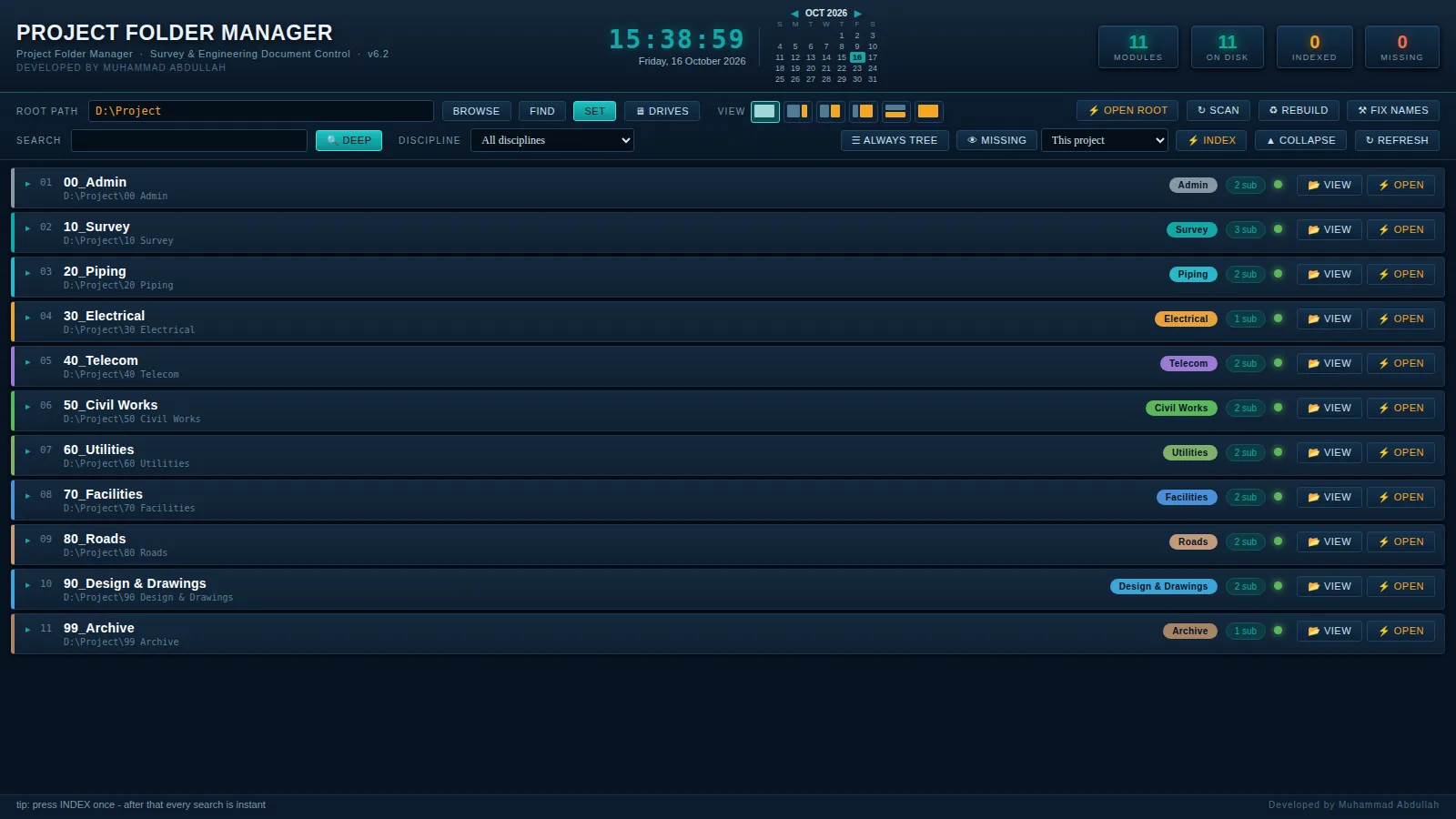
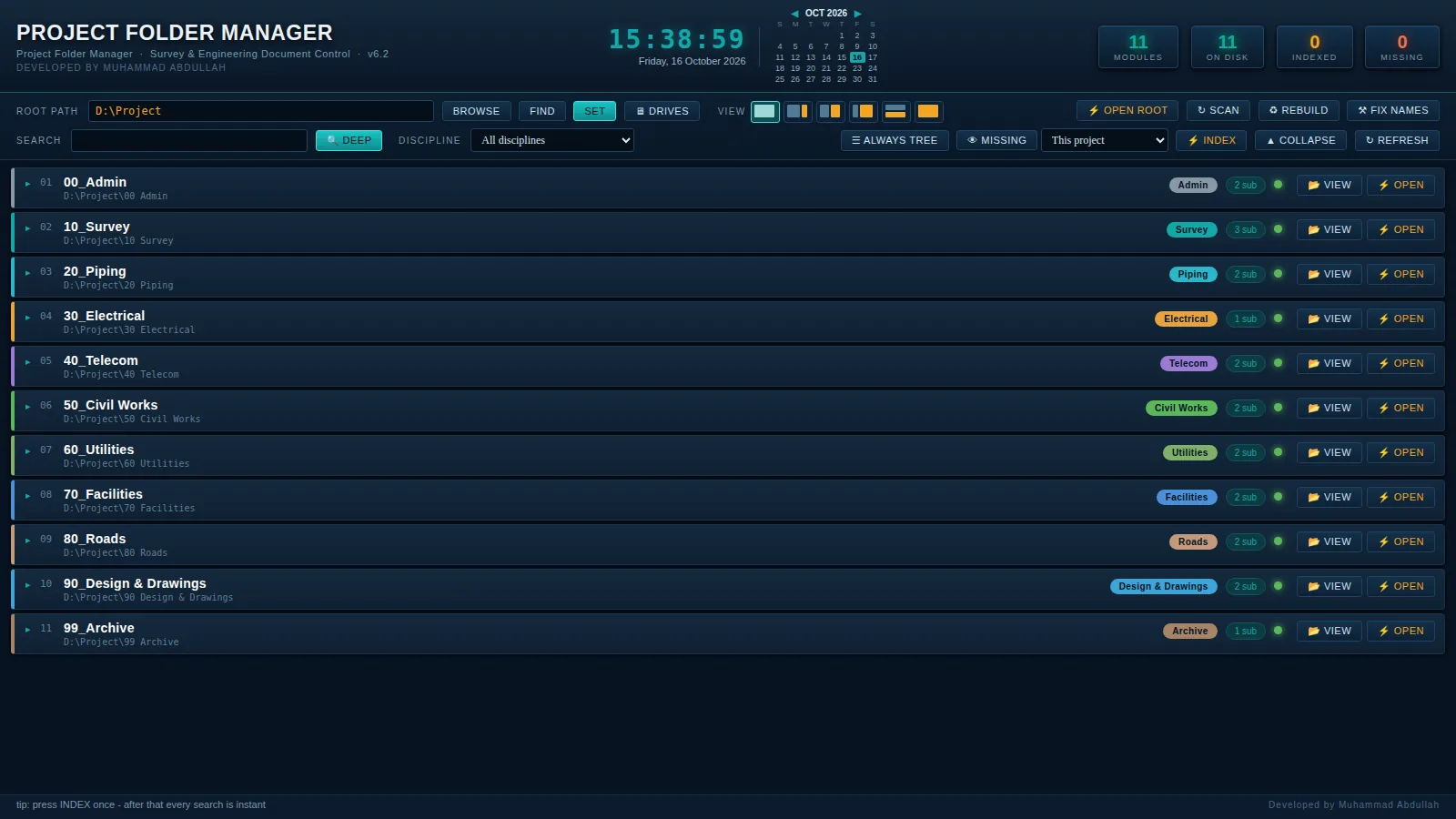
The project's numbered folders, from 00 Admin to 99 Archive, each with its discipline colour, how many sub-folders it has and a check that it is on the disk.
View or open
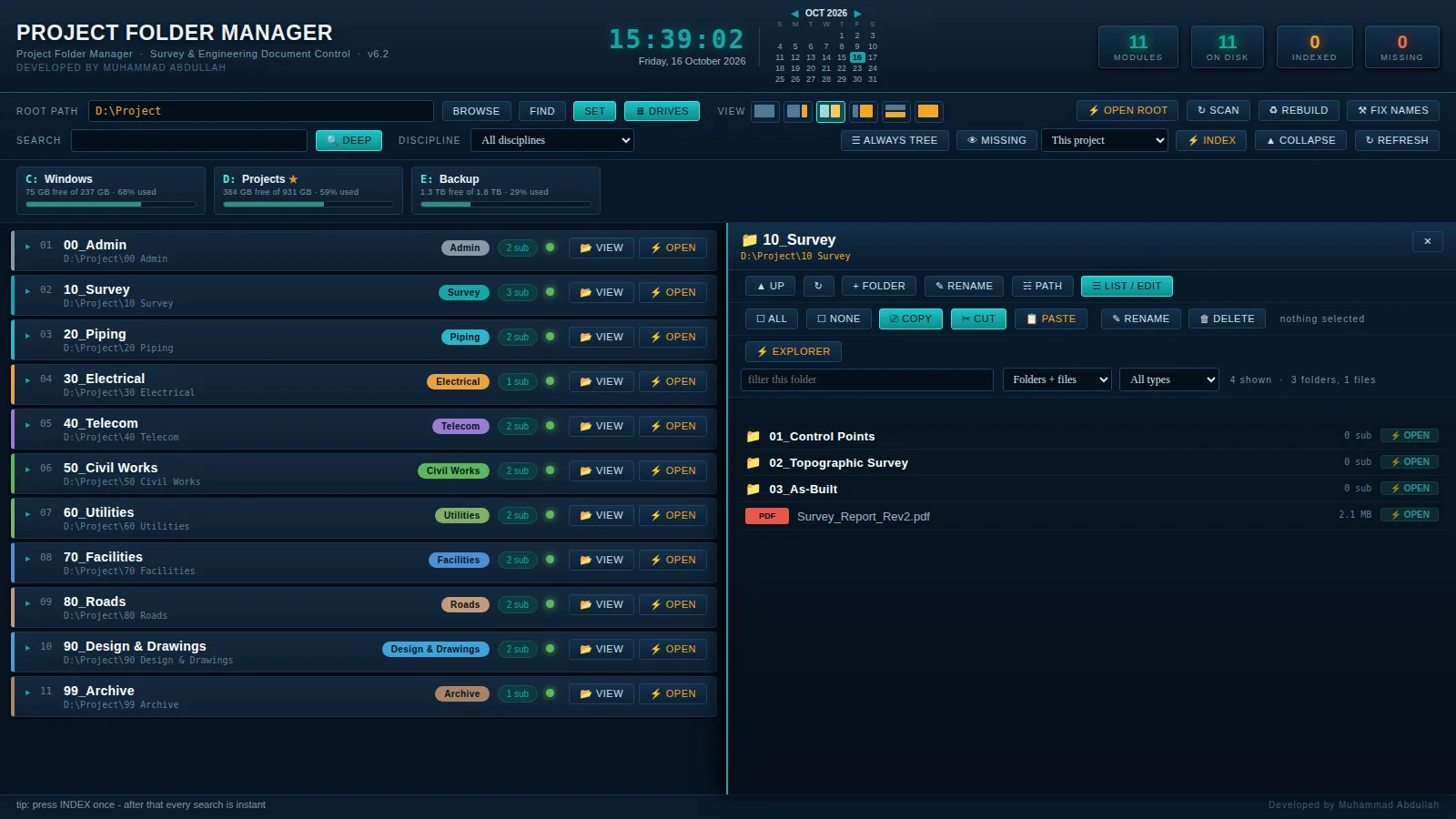
VIEW shows a folder's contents in the panel beside the list; OPEN takes you to it in Explorer, or opens a file in its own program.
Instant search
Press INDEX once for this project, the whole drive or all drives. After that every search is instant, with a discipline filter and a DEEP search.
Copy, cut, paste, delete
Select several items and copy or move them between folders. Name clashes ask: replace, keep both or skip, once or for all. Delete goes to the Recycle Bin.
Rename in bulk
LIST / EDIT puts a folder's names in a box: edit the lines and APPLY RENAMES. Names with characters Windows doesn't allow are caught first.
Drives and free space
DRIVES shows every drive on the PC with its free space and a usage bar; click one to open it in the panel.
Six layouts
Tree only, panel only, side by side or one above the other (Alt+1 to Alt+6). It remembers the one you used last.
Any project
Click the title at the top left to name it for your project. SCAN adds new folders, FIX NAMES finds a renamed one and MISSING hides what isn't there.
Screenshots
How it looks
Shown with an example project in D:\Project. Tap a picture to see it full size.
Modules
Eleven modules, each with its discipline
Read from the project's top-level folders: a folder's number gives its discipline, and you can pick another for any folder. New folders on the disk are added with SCAN.
- 00Admin
- 10Survey
- 20Piping
- 30Electrical
- 40Telecom
- 50Civil Works
- 60Utilities
- 70Facilities
- 80Roads
- 90Design & Drawings
- 99Archive
Install
Ready in a minute
Nothing to install: unzip and open.
- 1
Unzip
Extract Project_Folder_Manager.zip to a folder of its own, for example D:\Project Folder Manager.
- 2
Open
Double-click Project_Folder_Manager.exe. Keep the .exe and the .hta together in that folder.
- 3
Set the root
Paste your project folder into ROOT PATH and press SET, or use BROWSE to pick it.
- 4
Index once
Press INDEX once. After that every search is instant.
Help
Quick fixes for common questions
Windows protected your PC
The program isn't code-signed, so SmartScreen asks first. Choose More info → Run anyway.
Project_Folder_Manager.hta was not found
Keep Project_Folder_Manager.exe and Project_Folder_Manager.hta together in the same folder, then open the .exe again.
The modules show as missing
The root path points somewhere else. Paste the project folder into ROOT PATH and press SET, or use BROWSE.
Search finds nothing
Press INDEX once first. It can take a few minutes the first time; STOP keeps what was found so far.
A file won't open
Windows has no program for that file type. The manager offers to show it in Explorer instead.
A move or rename failed
The item is open in another program, or the folder is open in Explorer. Close it and try again.
Download
Get Project Folder Manager 6.2
Free. Sign in or create a free account, then the download starts.
Project Folder Manager
Project_Folder_Manager.exe, the .hta, READ_ME.txt and the icon in a zip, 65 KB. Unzip everything into one folder.
If Windows warns you
The program isn't code-signed, so Windows SmartScreen may say it protected your PC the first time. Choose More info, then Run anyway.
Questions or a feature request? Write to us.